ksec
Show Kubernetes secrets from kubectl
Created: 2024-11-01 · Last Released: 2024-11-05 · Version: 0.5.1
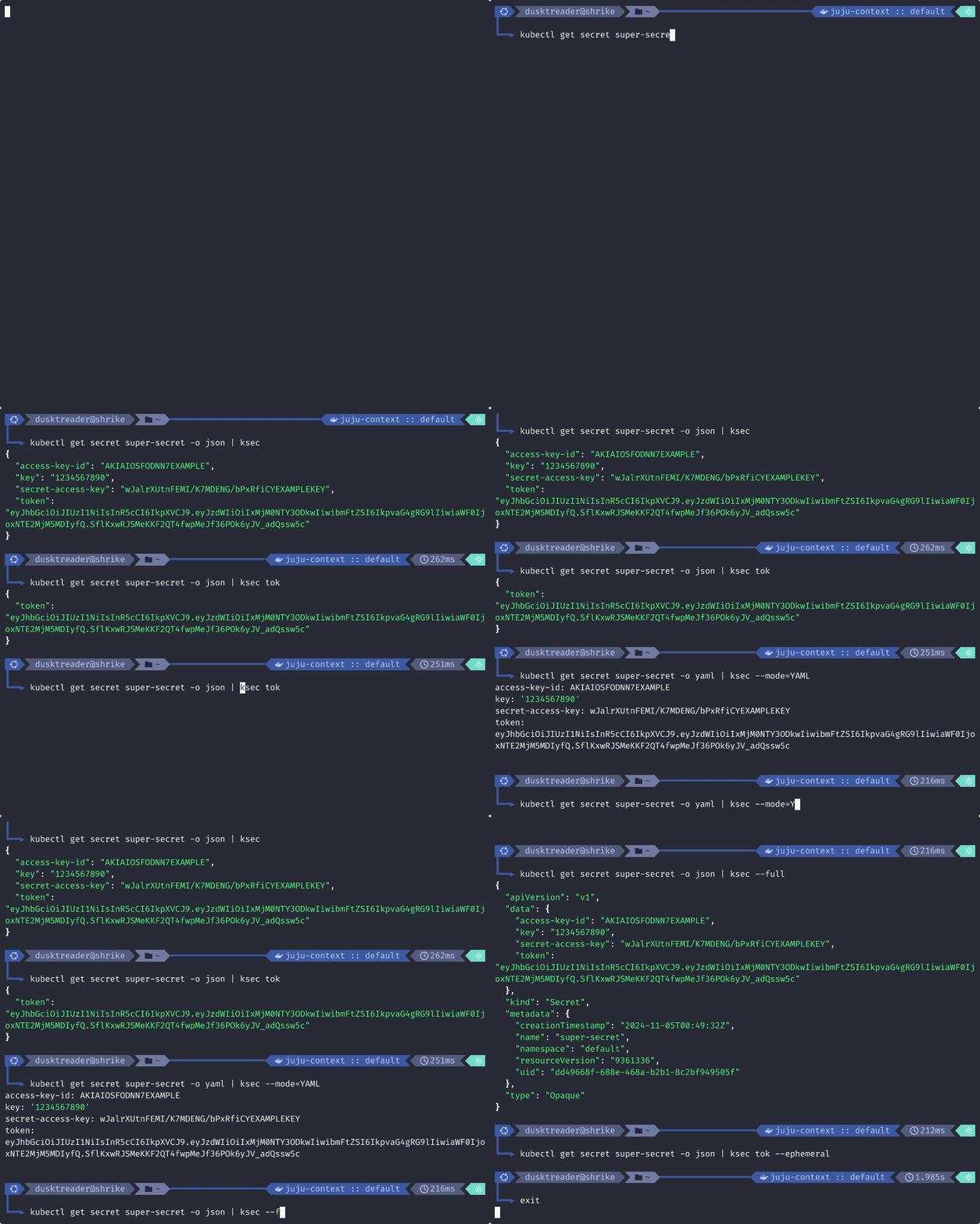
The ksec tool simply decodes secrets from kubectl to make it easier for the user to
view them. It can parse output from kubectl in either JSON or YAML (if you install with
the yaml extra).
Quickstart
- Preferred method with uv:
- With pipx:
- With pip:
Example usage
$ kubectl get secret my-secret -o json | ksec
{
  "SOME_ID": "cd31d8f5-9bf7-40a1-aced-a7faddd199ce",
  "SOME_KEY": "17153263835190001925"
}
Getting help
Simply run ksec --help:
$ ksec --help

 Usage: ksec [OPTIONS] [SEARCH]

 Display decoded kubernetes secrets printed by kubectl.
 Example usage:

 kubectl get secret my-secret -o json | ksec

╭─ Arguments ─────────────────────────────────────────────────────────────────────────────────────╮
│   search      [SEARCH]  Match a named secret data item using fuzzy search [default: None]       │
╰─────────────────────────────────────────────────────────────────────────────────────────────────╯
╭─ Options ───────────────────────────────────────────────────────────────────────────────────────╮
│ --mode                -m      [JSON|YAML]  Set the format that should be processed from stdin.  │
│                                            YAML mode requires installation with the yaml flag.  │
│                                            [default: JSON]                                      │
│ --full                -f                   Include all the metadata for the secrets, not just   │
│                                            the data                                             │
│ --ephemeral           -e                   Show the output in a temporary buffer that will be   │
│                                            cleared upon exit.                                   │
│ --install-completion                       Install completion for the current shell.            │
│ --show-completion                          Show completion for the current shell, to copy it or │
│                                            customize the installation.                          │
│ --help                                     Show this message and exit.                          │
╰─────────────────────────────────────────────────────────────────────────────────────────────────╯
License
Distributed under the MIT License. See LICENSE for more information.